EZReader System: A Low Vision Computer, Ready Out of the Box
Not sure? Talk to a doctor.We are offering Free Doctor Consultation
Not Sure? Talk to a Doctor
We are offering Free Doctor Consultation
What is EZReader?
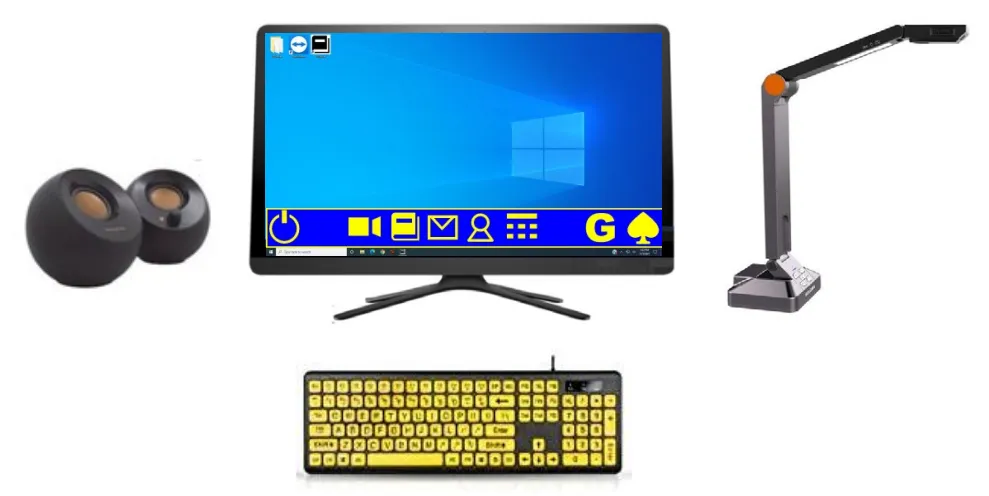
EZReader is a package combining a 27-inch touch-screen computer, a document camera, and more than 75 applications built for people with vision loss. It is designed, assembled and supported by New Vision Concepts, the company of its creator Gary Beene; we stock and recommend it, and purchases are fulfilled through New Vision Concepts, whose support line is (214) 668-9913.
Who it suits. EZReader is for the person who has given up on, or never used, a standard computer: everything arrives installed, the screens are deliberately simple and high-contrast, text scales without limit, and speech and dictation are built in. If you only want to read printed pages, a desktop video magnifier does that for less; if you are already a confident computer user, screen-magnification software such as ZoomText on your own PC is more flexible. EZReader’s territory is the large middle group: people who want email, books, the internet and their own documents back without having to learn a conventional computer to get them.
What do technology experts think about EZReader?
Independent reviewer Sam Seavey of The Blind Life, who is himself visually impaired, has reviewed the EZReader on his channel; the video below presents his assessment in his own words.
EZReader makes the computer easy to see and extremely easy to use.
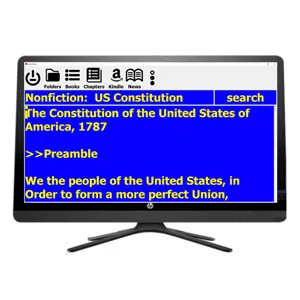
With custom applications such as a book reader, email client, camera viewer, text editor, games and more, EZReader supports the needs of Seniors and low vision users:
- Minimal Computer Skills Needed
- Easy-To-Use Touch Screen Operation
- Clean, Simple Screen Designs
- Unlimited Text Size
- High Contrast Colors
- Text-to-Speech
- Voice Dictation


“Don’t know what I’d do without it!” … Helen, Mesquite
“It’s given me back my independence!” … Donna, Nevada
Customer quotes on this page are voluntary comments from purchasers; individual experience varies.
Here’s an introduction to EZReader from Gary Beene, creator of the EZReader system.
Getting Started:
The full system is delivered with all software loaded, ready to run immediately. A single power plug and wifi access are all that is needed. A remote training session is provided to learn how to use the EZReader applications.
Purchase securely online at:
- EZReader System (27” PC, Camera, Software) $3900
- EZReader Software only $1550
- Standard Document Camera $650
EZReader includes free lifetime software upgrades, a remote training session, six months of free tech support, and a nine-month hardware warranty. We state these terms plainly because two of them differ from category norms: the hardware warranty is shorter than the one year common on desktop video magnifiers, while lifetime software upgrades are better than almost anything else in the category. Ask about extended support options at purchase, and confirm current terms with New Vision Concepts.
For additional help or questions, contact New Vision Concepts (Gary Beene): (214) 668-9913.
EZReader Specs
- All-in-One, touch-screen, Win 11 PC (8GB RAM, 256GB SSD)
- Digital camera capable of up to 8X magnification.
- High-contrast, wireless keyboard and mouse
- EZReader software – over 75 different applications written specifically for low vision users. The most used applications include a Kindle book reader, email client, camera viewer and internet access utilities.See the list of all applications at New Vision Concepts.
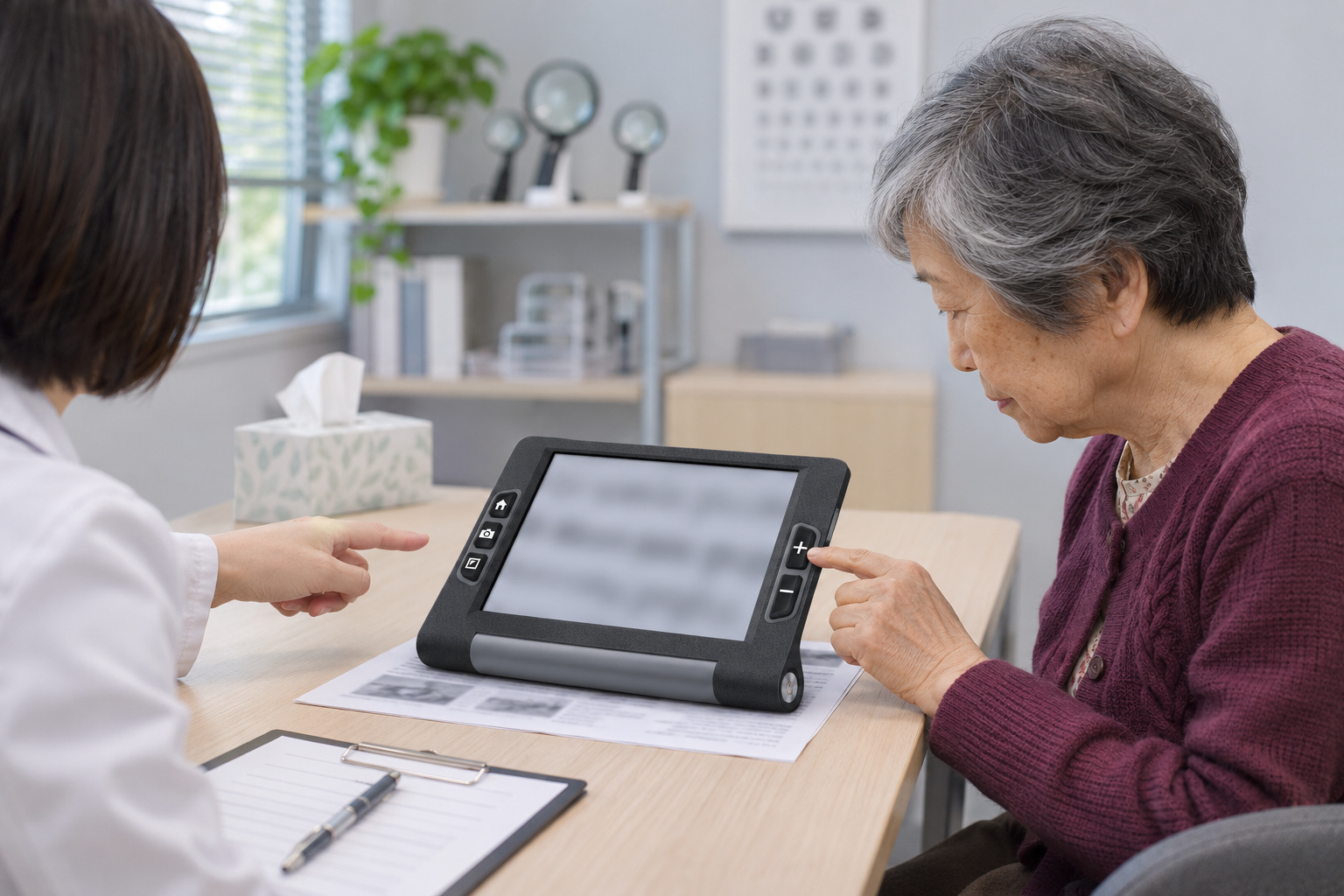
Paying for EZReader
Medicare excludes low vision aids by statute. The VA is the strongest funding route for eligible veterans, and state assistive-technology and vocational rehabilitation programs can help where employment or independence goals apply. For spot reading away from a desk, see the RUBY handheld range; to find a specialist who can demonstrate both, use our specialist finder.
References
- New Vision Concepts. EZReader system documentation and support terms.
- American Academy of Ophthalmology. Vision Rehabilitation Preferred Practice Pattern. aao.org.
- Virgili G, et al. Reading aids for adults with low vision. Cochrane Database Syst Rev. 2018;4:CD003303.
Find a nearby low vision professional
The best way to learn more about low vision aids and pick up the right ones is to visit a low vision professional. It’s easy to find one in your area.
Shop Best Low-Vision Aids with FREE Doctor Consultation.
Purchases through our Low Vision Store support this site.
Latest Posts
February 13, 2026
Avastin Eye Injection: Complete Guide to Cost, Side Effects & Effectiveness
If your doctor has recommended an eye injection for a retinal condition, it’s normal to feel worried or scared.
February 13, 2026
Low Vision Aids: Complete Guide to Visual Aids for Independence